
AI Product Photography
Stunning product photos,
made in seconds
Generate consistent, professional product photography for Amazon, Shopify, Etsy, and more — no expensive studio setup required. Powered by the latest AI models like Google's Nano-Banana.
Before / after
From an ordinary shot to a marketplace-ready image
Drag each frame to compare the original product photo with the AI-generated result.
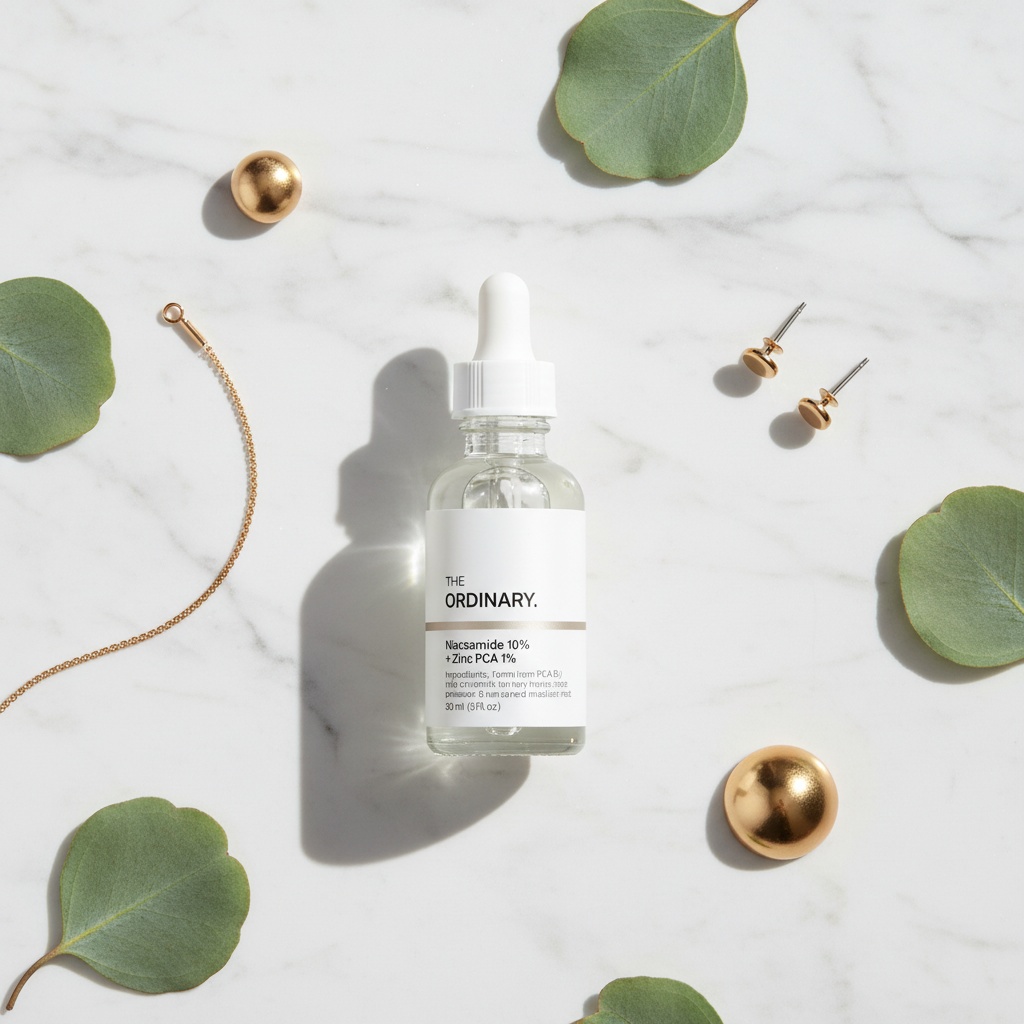
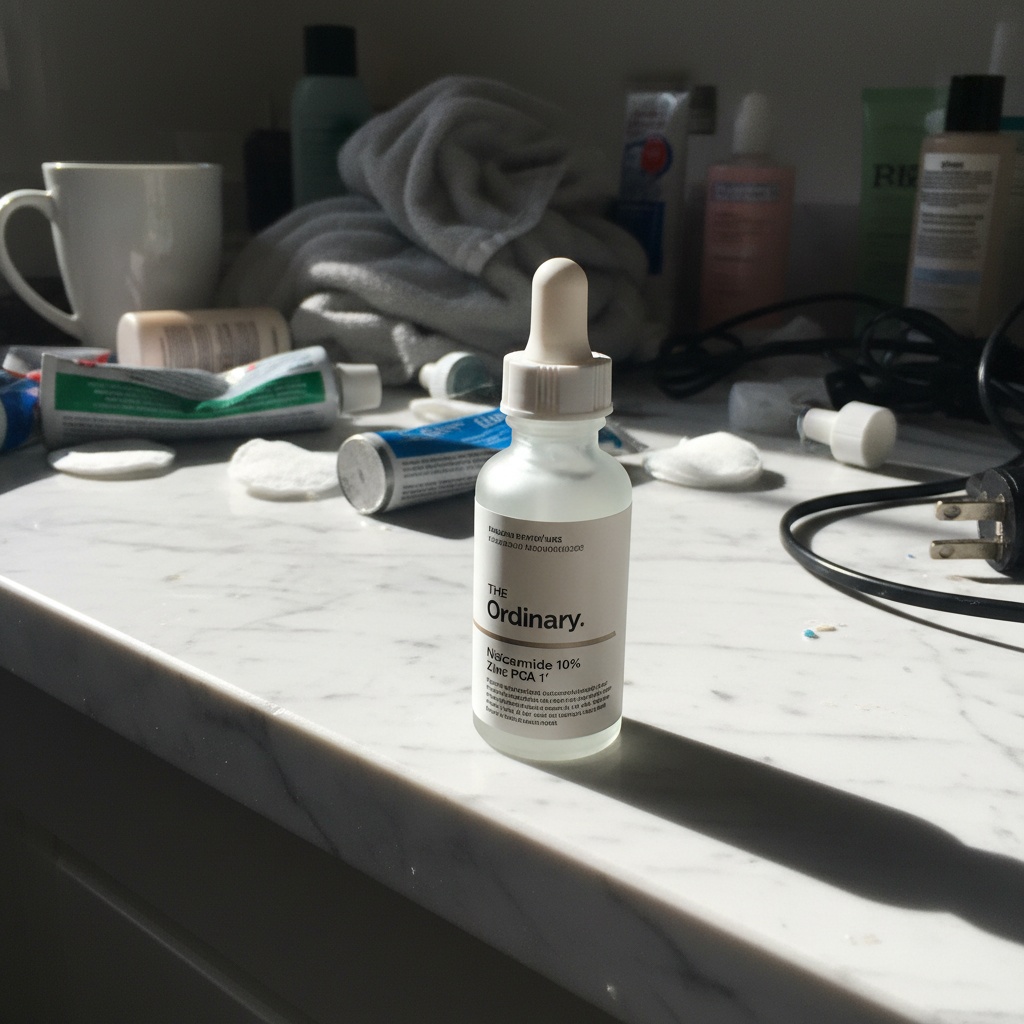
Clutter to lifestyle scene
Create this look →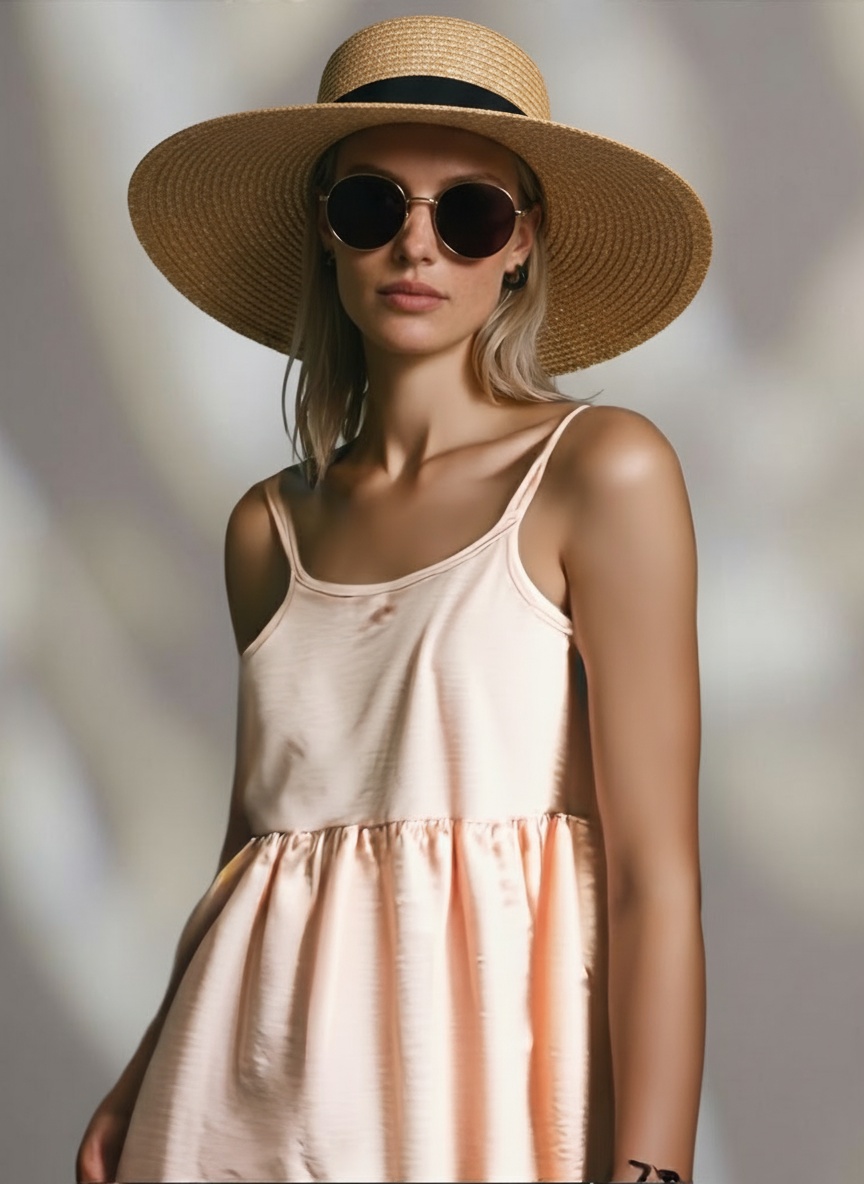
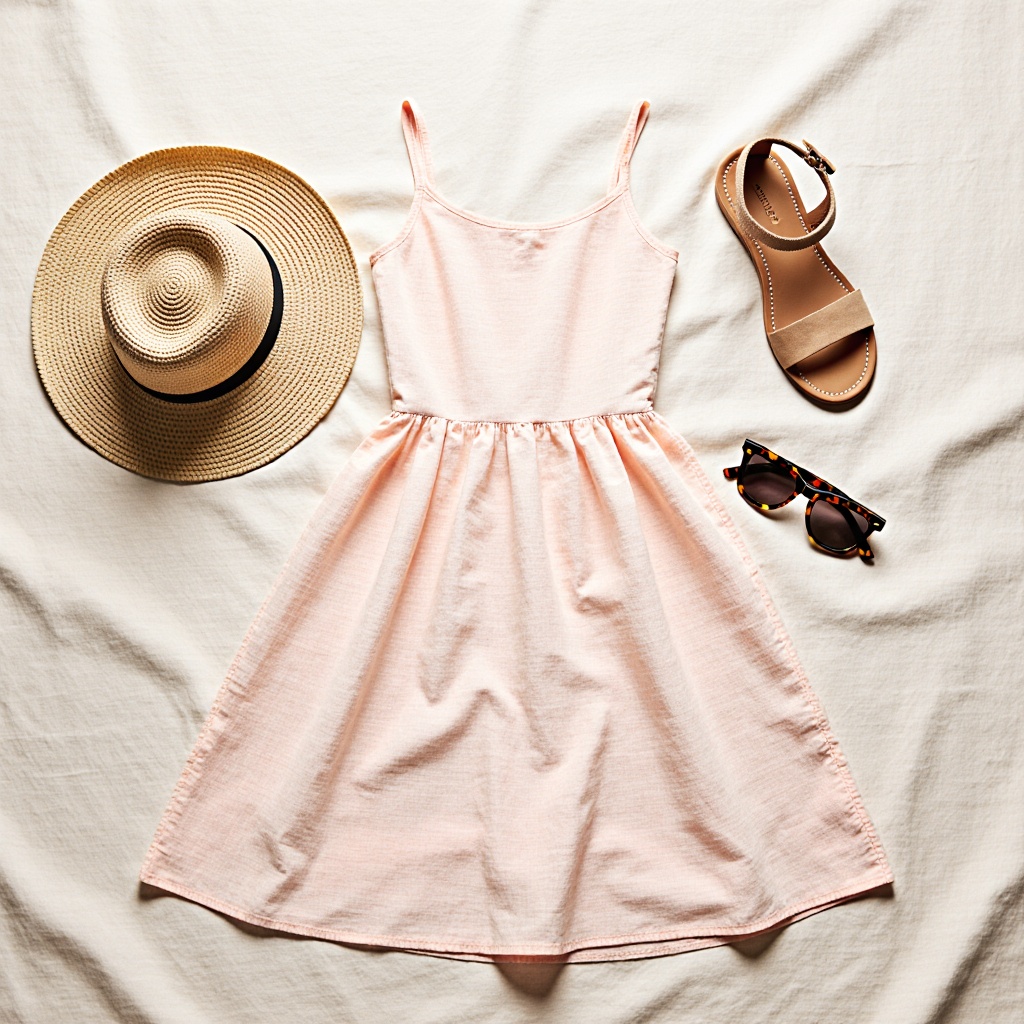
Flat product to on-model shot
Create this look →Examples
AI product photo examples
See clean white backgrounds, lifestyle scenes, and editorial looks created from simple product shots.

Lifestyle scene

Editorial composition

Footwear

Jewelry macro
Why CarePhoto
Catalog-quality results, without the studio
Consistent branding
Maintain the same look across hundreds of SKUs with reusable presets.
Faster than a photoshoot
Upload once, get marketplace-ready results in seconds.
Budget-friendly
Skip photographers, lights, and retouching fees.
Platform-optimized
Amazon white, Shopify lifestyle, and Instagram-ready looks.
How we compare
The studio result, without the studio
| Feature | CarePhoto | Studio shoot | Other AI tools |
|---|---|---|---|
| Speed | Seconds per image | Days to schedule | Minutes |
| Cost | No studio fees | Studio + retouching | Per-image credits |
| Consistency | Presets across SKUs | Re-shoot to match | Limited presets |
| Marketplace fit | Amazon / Shopify / Etsy | Manual setup | Generic output |
| Variations | Multiple | 1 session | Limited presets |
How it works
Chat with CarePhoto in three steps
Chat to create or edit
Describe what you want. Create product photos or edit any image with simple prompts.
Pick styles or use presets
Choose Amazon White, Lifestyle, or Editorial looks — or paste your own prompt.
Download marketplace-ready images
Get pixel-perfect exports for Amazon, Shopify, ads, and social.
Who it's for
Built for sellers, brands, and marketers
Amazon sellers
Instantly compliant white backgrounds.
Shopify brands
Branded lifestyle shots at scale.
Etsy sellers
Stylized, aesthetic backgrounds.
DTC marketers
Consistent, high-performing ad creatives.
Related features
Enhance or composite product shots

Chat-Based Photo Editing
Transform your photos with simple text commands. Describe your desired changes – remove objects, change colors, adjust lighting, and more – and let our AI do the work.

Face Transfer
Seamlessly transfer faces between images. Create fun composites, see yourself in new scenarios, or experiment with different looks.

Personalized Portrait Generator
Upload a few photos, and our AI learns your likeness to create stunning, custom portraits. Generate professional headshots, fantasy avatars, or artistic interpretations in minutes.
The detail
Best practices for AI product photography
Achieving high-converting product images comes down to consistency, speed, and marketplace compliance. Below are practical tips to get the most from CarePhoto. When you need light cleanup, use AI Photo Editing to remove small distractions or refine edges.
1) Backgrounds that match your channel
- Amazon: Use a pure white background and centered subject. Try the “Amazon White” preset.
- Shopify: Lifestyle scenes with subtle props convey use and brand feel.
- Instagram/Ads: Editorial looks with stronger shadows and color contrast.
2) Lighting and shadows
Favor soft, diffused light for most catalog shots. Add a gentle, realistic shadow beneath products to preserve depth and avoid a “cutout” look. If needed, clean edges or stray reflections with AI Photo Editing.
3) Angles and framing
For consistency across SKUs, keep focal length and angle similar. Flat lays work well for apparel and accessories; three-quarter angles highlight dimension for packaging and footwear.
4) Branding and consistency
Save presets for background, color palette, and composition. Apply them across SKUs to maintain a cohesive store experience.
5) Marketplace compliance
Double-check size, background, and margin requirements for each marketplace. Use careful cropping and cleanup to remove busy elements that could reduce clarity.
Questions
Frequently asked questions
Yes. Generate pure white backgrounds that meet Amazon listing requirements, with clean edges and studio-style lighting.
Yes. The AI produces photorealistic results with consistent lighting, shadows, and perspective that match professional studio output.
Create or reuse presets for background, angle, and lighting. Apply them across SKUs for a consistent brand look at scale.
Yes. Use AI Photo Editing to remove dust, scratches, or distracting elements in seconds without manual retouching.
Yes. Start from a clear product shot and use presets optimized for glass, metal, or transparent packaging to maintain realistic reflections and edges.
Fashion and apparel, footwear, eyewear, jewelry, cosmetics and skincare, accessories, electronics and gadgets, home decor and furniture, kitchenware, food and beverage, toys, pet products, and baby products. For reflective or transparent items (glass, metal, packaging), use the presets optimized for reflections and edges.