

{/* SEO Keywords: primary=AI Airbnb photos, improve Airbnb listing with AI; secondary=Airbnb photo editor AI, AI interior design for Airbnb, how to get more Airbnb bookings */}
When it comes to Airbnb success, first impressions are everything. Travelers scroll through dozens of listings in minutes, and your photos are what make them stop and book.
But professional photography costs hundreds, interior staging is expensive, and not everyone has an eye for design. That's where AI-powered photo editing and interior design come to the rescue.
📊 Why Photos Make or Break Your Airbnb Success
- Poor lighting and clutter are the top reasons travelers skip listings
The problem? Most hosts take photos with their phones in poor lighting, with cluttered rooms and unflattering angles. The result: listings that look amateur and don't attract premium guests.
🤖 How AI Transforms Your Airbnb Photos
.jpg)
With AI photo editing, you can transform ordinary phone snapshots into magazine-quality images:
Instant Photo Enhancement
- Brighten dark spaces for that airy, welcoming feel
- Remove clutter and unwanted objects seamlessly
- Enhance colors to make furniture and decor pop
- Fix lighting issues that make rooms look dingy
- Sharpen details for crisp, professional-quality shots
Background and Lighting Magic
- Turn overcast outdoor photos into sunny, inviting spaces
- Replace distracting backgrounds with clean, appealing alternatives
- Add natural lighting effects to make interiors feel bright and spacious
- Remove reflections from windows and mirrors
No expensive equipment or Photoshop skills required — just upload your photos and let AI work its magic.
🏡 AI Interior Design for Airbnb Success
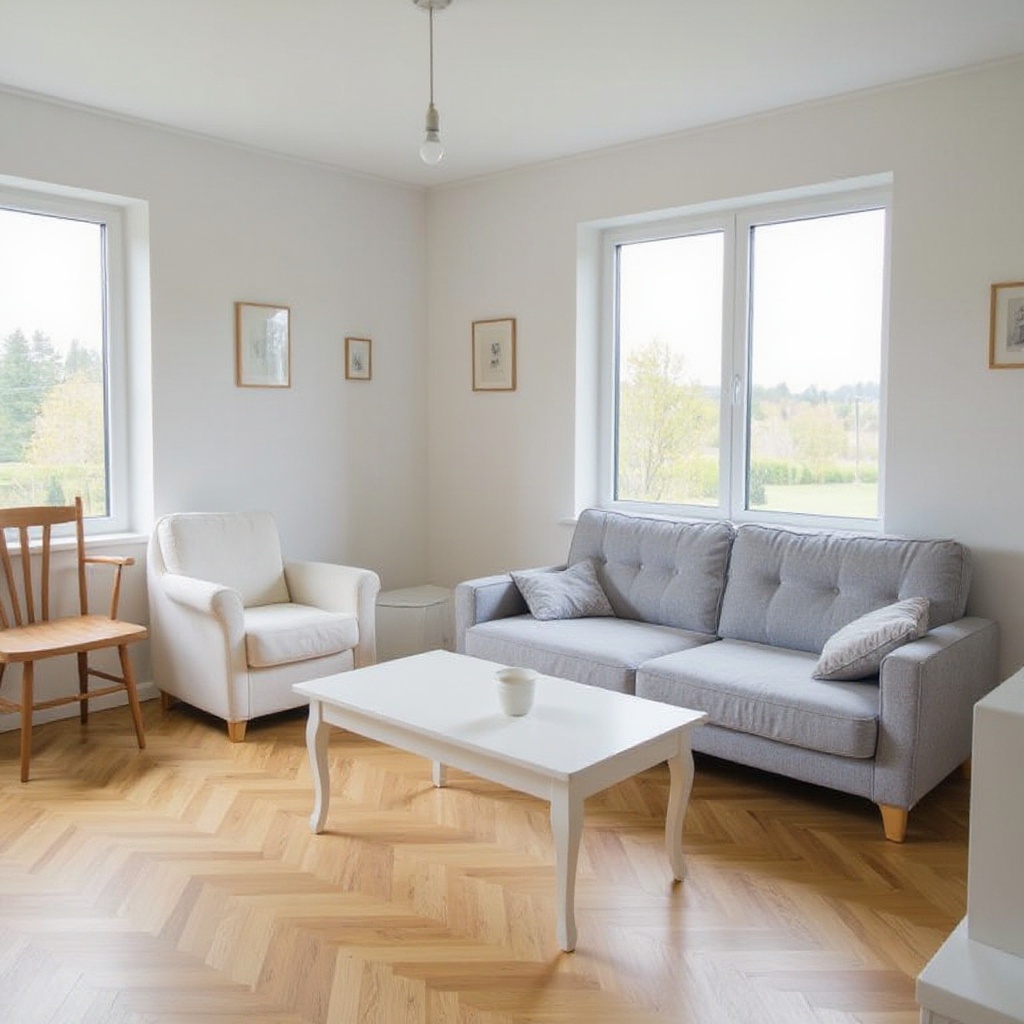
.jpg)
But AI doesn't just fix photos — it reimagines your entire space. Upload a room photo and instantly see it transformed into different design styles that guests love.
Popular Airbnb Design Styles
Modern Minimalist
- Clean lines, neutral colors, uncluttered spaces
- Perfect for business travelers and design-conscious guests
Cozy Bohemian
- Warm textures, plants, layered rugs and throws
- Appeals to Instagram-loving millennials and creative travelers
Luxury Contemporary
- Rich materials, statement furniture, dramatic lighting
- Attracts high-end guests willing to pay premium rates
Airbnb-Ready Neutral
- Soft, welcoming spaces with natural light and greenery
- Universal appeal across all guest demographics
📸 Step-by-Step Guide to AI-Enhanced Airbnb Photos
Phase 1: Photo Preparation
- Take photos with your smartphone — no professional camera needed
- Shoot during golden hour (early morning/late afternoon) for best natural light
- Declutter first — remove personal items and excess furniture
- Get the angles right — shoot from corners to show room size
Phase 2: AI Enhancement
- Upload to CarePhoto — drag and drop your room photos
- Choose enhancement style — bright and airy, warm and cozy, or dramatic and luxe
- Let AI work — automatic lighting, color, and composition improvements
- Download professional results — ready for your Airbnb listing
Phase 3: Design Inspiration
- Try different interior styles — see your space in modern, bohemian, luxury themes
- Identify affordable upgrades — throw pillows, plants, artwork, lighting
- Plan your makeover — prioritize changes that offer the highest ROI
- Update gradually — make improvements between bookings
🎯 Airbnb Photo Tips That Work
What Guests Want to See
- Bright, welcoming spaces with plenty of natural light
- Clean, uncluttered rooms that feel spacious
- Comfortable seating areas for relaxation
- Well-appointed kitchens with modern appliances
- Cozy bedrooms with quality linens and good lighting
Common Photo Mistakes to Avoid
- Dark, poorly lit interiors that feel dingy
- Personal photos and clutter that distract guests
- Unflattering wide-angle shots that distort rooms
- Missing key areas like bathrooms and kitchen details
- Outdated decor that looks cheap or worn
Prepare a Clearer Listing Photo Set
Use AI as an editing and planning aid, not as a substitute for an accurate listing. A useful photo set should:
- Show every room guests can access
- Keep lighting and color consistent
- Preserve the room's real dimensions, furnishings, and condition
- Label virtual staging or design concepts clearly
- Include unedited reference images when an edit could change expectations
Interior Design Directions to Explore
For Urban Properties
.jpg) Modern Industrial — exposed brick, metal fixtures, urban loft aesthetic
- Target audience: Business travelers, creative professionals
For Beach/Resort Areas
Coastal Minimalist — whites, blues, natural textures, nautical touches
- Target audience: Vacation travelers, families
For Mountain/Rural Properties
Rustic Contemporary — wood, stone, cozy textiles, fireplace focus
- Target audience: Romantic getaways, nature lovers
- Visual direction: Warm materials, natural textures, and a clear focal point
Where AI Fits in the Hosting Workflow
- Photo enhancement can make lighting and color more consistent
- Virtual staging lets you test design ideas before spending money
- Style inspiration helps compare furniture, palette, and layout directions
- Batch editing can keep a listing photo set visually consistent
🎯 Take Action Today
Ready to transform your Airbnb with AI-powered photos and design inspiration?
👉 Try CarePhoto's Interior Design Tool →
Upload a photo of your space and compare interior-design directions before making physical changes.
What you'll get:
- Professional-quality photo enhancements
- Multiple interior design style options
- Before/after comparisons to guide your decisions
- Inspiration for affordable room upgrades
- Tools for creating a more consistent listing photo set
Frequently Asked Questions
Q: How much can better photos really increase my Airbnb revenue? A: There is no guaranteed revenue or booking lift. Results depend on the property, price, location, season, reviews, and many other factors. Compare listing metrics before and after a photo update rather than relying on a generic benchmark.
Q: Do I need expensive equipment or photography skills? A: No! AI photo enhancement works with smartphone photos. Just ensure good lighting and minimal clutter before shooting.
Q: How accurate are the AI interior design suggestions?
A: Treat them as visual concepts, not exact renovation plans. Verify dimensions,
materials, safety, and cost before making changes, and do not publish a
virtually staged image as though it shows the property's current condition.
Q: Will the photos look fake or over-edited? A: AI enhancement focuses on realistic improvements — better lighting, colors, and composition. The goal is professional quality, not artificial-looking results.
Use AI to explore ideas, then publish images that accurately represent what guests will find.